
.png)
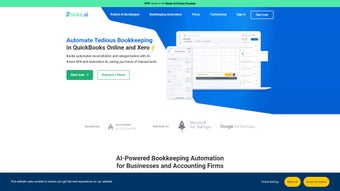
Description
Download Booke AI – AI bookkeeping automation, secure, free trial
Overview
Booke AI is a next‑generation bookkeeping platform that leverages artificial intelligence to turn the traditionally tedious accounting workflow into a fast, accurate, and almost hands‑free experience. By automatically extracting data from invoices, receipts, and bank statements, the tool reduces the manual entry time that most small‑business owners and accounting firms dread. Its built‑in error‑detection engine scans each transaction for inconsistencies, flags mismatches, and even suggests corrective actions before they become costly accounting errors. What truly sets Booke AI apart is its seamless integration with industry‑standard solutions such as Xero, QuickBooks Online, and Sage, allowing users to keep their existing ecosystem while adding a powerful AI layer on top. The platform also offers a client‑query portal and a ChatGPT‑powered email inbox assistant, making communication with clients smoother and more transparent. Whether you are a solo bookkeeper, a mid‑size accounting practice, or a startup looking to scale its finance function, Booke AI promises to streamline the entire bookkeeping pipeline—from data capture to final reporting—while maintaining the security and compliance standards required by modern finance teams. In addition to its core automation capabilities, Booke AI provides a robust audit trail, role‑based permissions, and multi‑currency handling, which together create a trustworthy environment for handling sensitive financial data. The combination of AI‑driven insights and real‑time collaboration tools means that finance professionals can focus on strategic analysis rather than repetitive data entry, ultimately driving better business decisions and faster growth.
Key Features & AI‑Powered Automation
- AI‑driven transaction categorisation that learns from your historical data.
- Optical Character Recognition (OCR) for instant data extraction from PDFs, photos, and scanned receipts.
- Real‑time error detection and auto‑correction suggestions.
- Two‑way sync with Xero, QuickBooks Online, and Sage Accounting.
- Client query portal with searchable conversation history.
- ChatGPT‑enhanced email inbox for drafting replies and summarising client requests.
- Interactive dashboards with custom reporting widgets.
- Role‑based access controls and end‑to‑end encryption for data security.
- Multi‑currency support and automatic tax rule application.
- Free trial with unlimited transactions for the first 30 days.
Booke AI’s feature set is built around the principle that bookkeeping should be invisible to the user. The OCR engine, powered by deep‑learning models, recognises line items, dates, totals, and tax codes with over 98 % accuracy, even on low‑resolution images. Once the data is captured, the AI categoriser maps each entry to the appropriate ledger account, learning from user corrections to improve future accuracy. The error‑detection module continuously monitors incoming data streams, spotting duplicate entries, missing tax fields, or out‑of‑range values, and instantly prompts the user with a concise, actionable alert. Integration is handled via secure APIs that keep your existing Xero or QuickBooks records in perfect sync, eliminating double‑entry and reducing reconciliation time. The client portal and ChatGPT assistant turn the traditionally one‑way communication model into an interactive dialogue, where clients can ask for receipt copies, status updates, or clarification on ledger entries, and receive instant, AI‑generated responses. In addition, the interactive dashboards let managers visualise cash flow, expense trends, and profit margins through drag‑and‑drop widgets, while the built‑in tax engine automatically applies regional tax rules, reducing the risk of compliance errors. All of these capabilities are wrapped in a clean, web‑based interface that works on any modern browser, ensuring that you can manage your books from a desktop, tablet, or smartphone without sacrificing functionality. The platform also supports bulk‑upload of historical documents, enabling a rapid migration for firms moving from legacy systems to a modern AI‑augmented workflow.
Installation, Setup & Compatibility
Getting started with Booke AI is designed to be as frictionless as possible. The software is delivered as a cloud‑based SaaS solution, which means there is no heavy client download or local installation required. All you need is a stable internet connection and a supported web browser. Follow these steps to begin:
- Create an account: Visit the official Booke AI website and click “Start Free Trial.” Provide a business email, set a strong password, and verify your email address.
- Connect your accounting platform: In the dashboard, navigate to “Integrations” and select Xero, QuickBooks Online, or Sage. You’ll be redirected to the respective service’s OAuth page to grant permission.
- Upload sample documents: Drag‑and‑drop a few recent invoices or receipts into the “Document Hub.” Booke AI will immediately run OCR and display extracted data for you to confirm.
- Configure categorisation rules: Use the “Rule Builder” to map common vendors or expense types to specific ledger accounts. The AI will learn from these rules over time.
- Invite team members: Under “User Management,” add accountants, bookkeepers, or clients and assign role‑based permissions.
- Activate the client portal: Enable the portal from settings, customise the branding, and share the portal link with your clients.
- Set up security preferences: Turn on two‑factor authentication, define password policies, and configure IP‑allowlist restrictions if needed.
- Run a test cycle: Process a small batch of transactions to verify that categorisation, sync, and reporting behave as expected before scaling up.
Booke AI is compatible with all major operating systems because it runs entirely in the browser. It supports Windows 10/11, macOS 10.15 (Catalina) and later, as well as Linux distributions with modern browsers such as Chrome, Edge, or Firefox. Mobile users can access the full feature set via responsive design on iOS 13+ and Android 9+. For organisations that require on‑premises deployment, Booke AI offers a private‑cloud option that can be installed behind a corporate firewall, though this requires an enterprise license.
Security is a top priority: data in transit is encrypted with TLS 1.3, and at rest with AES‑256. Two‑factor authentication (2FA) is available for all user accounts, and audit logs are kept for every change, ensuring compliance with GDPR, SOC 2, and other regulatory frameworks. The onboarding wizard guides new users through each step, providing tooltips and short video tutorials to minimise the learning curve. Within an hour, most small‑business teams are able to run their first automated bookkeeping cycle, making Booke AI a true time‑saver. For power users, the platform also exposes RESTful endpoints and webhook triggers, enabling custom workflow extensions or integration with third‑party ERP systems. Ongoing updates are delivered automatically, with each release accompanied by a changelog that highlights new AI models, performance improvements, and added compliance features.
Pros, Cons, FAQ & Final Verdict
Pros
- Highly accurate OCR and AI categorisation reduce manual data entry.
- Real‑time error detection prevents costly bookkeeping mistakes.
- Seamless two‑way sync with Xero, QuickBooks Online, and Sage.
- Client portal and ChatGPT email assistant improve communication.
- Browser‑based access works on Windows, macOS, Linux, iOS, and Android.
- Robust security features including 2FA and end‑to‑end encryption.
- Free 30‑day trial with unlimited transactions.
- Customizable rule engine lets you fine‑tune categorisation logic.
- Comprehensive audit trail satisfies compliance auditors.
- Scalable architecture supports both small firms and enterprise teams.
Cons
- Reliance on an internet connection; offline mode is limited.
- Advanced custom reporting requires a higher‑tier subscription.
- Initial AI training period may need a few weeks for optimal accuracy.
- Enterprise‑level private‑cloud deployment incurs additional cost.
- Learning curve for non‑technical users unfamiliar with AI‑driven tools.
Frequently Asked Questions
Can Booke AI replace my existing accounting software?
Booke AI is not a full‑featured accounting system; it works as an AI‑enhanced layer that automates data capture and categorisation while syncing with Xero, QuickBooks Online, or Sage. It complements, rather than replaces, your existing platform.
How secure is my financial data in Booke AI?
All data is encrypted in transit with TLS 1.3 and at rest with AES‑256. Two‑factor authentication, role‑based access, and detailed audit logs meet SOC 2 and GDPR standards.
What types of documents can the OCR engine read?
The OCR engine supports PDFs, JPEG, PNG, and TIFF files, handling invoices, receipts, bank statements, and purchase orders with high accuracy, even on low‑resolution scans.
Is there a limit to the number of users on a single account?
The standard plans allow up to 10 concurrent users. Enterprise plans can be expanded to unlimited users with custom pricing.
How does the ChatGPT email assistant work?
The assistant reads incoming client emails, summarises the request, and suggests draft replies based on your bookkeeping data. You can edit before sending, ensuring accuracy and a personal touch.
Final Verdict
Booke AI delivers on its promise to make bookkeeping almost invisible. The combination of AI‑driven categorisation, OCR accuracy, and tight integration with leading accounting platforms creates a workflow that saves hours each week. While it requires a reliable internet connection and a brief learning curve for the AI to adapt, the security measures and client‑centric features make it a compelling choice for modern finance teams. For small businesses looking to reduce manual entry and for accountants who need a smarter front‑end, Booke AI is a worthwhile investment.
Ready to experience AI‑powered bookkeeping? Click the button below to start your free 30‑day trial and watch your accounting process become faster, cleaner, and more reliable.
Start Free TrialGuides & Tutorials for Booke AI
How to install Booke AI
- Click the Preview / Download button above.
- Once redirected, accept the terms and click Install.
- Wait for the Booke AI download to finish on your device.
How to use Booke AI
This software is primarily used for its core features described above. Open the app after installation to explore its capabilities.
User Reviews for Booke AI 0
No reviews found




